

Introduction
Classrooms are no longer limited to chalkboards, printed books, and one-way lectures. Digital tools now allow teachers to combine writing, videos, diagrams, quizzes, websites, and group activities in one lesson. The Senses Smart Board supports this modern learning environment through a large interactive screen where teachers can explain ideas, save notes, display multimedia, and invite students to participate. Still, technology alone cannot improve education. Good planning, teacher training, safe internet use, and useful classroom activities remain essential. This guide explains the board’s features, benefits, uses, challenges, and buying factors in a clear and practical way.
What Is a Senses Smart Board?
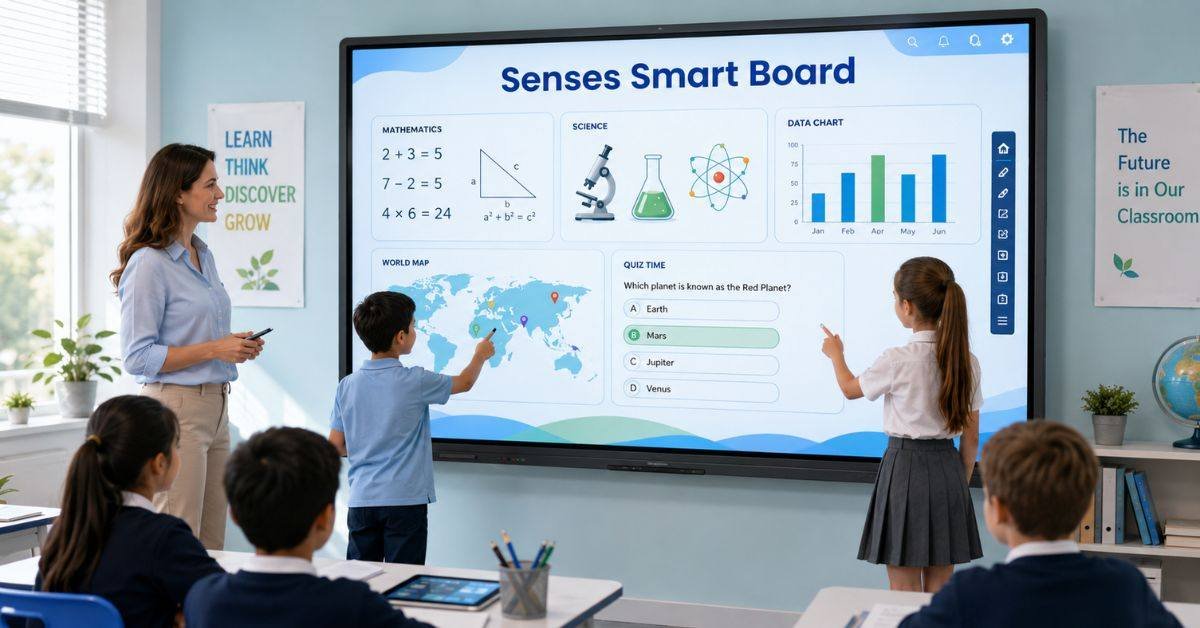
A Senses Smart Board is a large touch-enabled display for classrooms and training spaces. It works as a digital whiteboard and computer screen. Teachers can write with a finger or stylus, open files, play videos, browse educational websites, and save lesson notes. Unlike older projector systems, an interactive flat panel normally needs no separate projector. This reduces shadows, improves picture quality, and creates a cleaner setup. Students can also move objects, solve problems, label diagrams, or complete short activities on the screen.
Main Features for Modern Classrooms
The Senses Smart Board combines several teaching tools in one system. Its most useful features save time and make explanations easier.
- Clear touch display for text, images, maps, and diagrams
- Digital tools for writing, shapes, colours, and highlighting
- Multi-touch support for group activities
- Wireless sharing from laptops and mobile devices
- Built-in speakers for videos and audio lessons
- Lesson-saving and screen-capture tools
Schools should confirm specifications before buying because screen size, storage, software, ports, and warranty terms may vary.
Traditional Board vs Interactive Display
A traditional board remains useful for quick notes, but the Senses Smart Board offers more ways to present and practise information.
| Feature | Traditional Board | Interactive Display |
| Writing and drawing | Yes | Yes, with digital tools |
| Videos and audio | No | Yes |
| Saved lesson notes | No | Yes |
| Student touch activities | No | Yes |
| Online resources | No | Yes |
| Maintenance needs | Low | Moderate |
Teachers may use a normal board for a quick explanation and an interactive display for visual examples or group work.
Benefits for Students
The Senses Smart Board can help learners understand difficult ideas by presenting information in different forms. A science process can be animated, a maths graph can change in real time, and geography lessons can include maps and videos.
- Visual learners can study pictures, charts, and demonstrations.
- Students can join matching and labelling tasks.
- Short quizzes can assess understanding quickly.
- Saved notes can support revision.
- Group work can improve teamwork skills.
When students actively participate in the course rather than merely viewing the slides, the greatest benefits become apparent.
Benefits for Teachers
For teachers, the Senses Smart Board reduces the need to switch between separate devices. A lesson can move from notes to a video, website, worksheet, or quiz without a long pause. Teachers can prepare reusable lesson pages, highlight key details, correct answers in front of the class, and save completed work. This may reduce repeated writing and make lessons smoother.
Uses Across Different Subjects
The Senses Smart Board can support almost every subject when the activity matches a clear learning goal.
- Mathematics: show calculations, graphs, shapes, and solution steps.
- Science: label diagrams and explain processes.
- English: edit sentences and practise vocabulary.
- History: explore timelines, photographs, and maps.
- Geography: compare places and climates.
- Primary learning: practise phonics, counting, and sorting.
Technology should support the lesson objective rather than being used only to make the room look modern.
Supporting Different Learning Needs
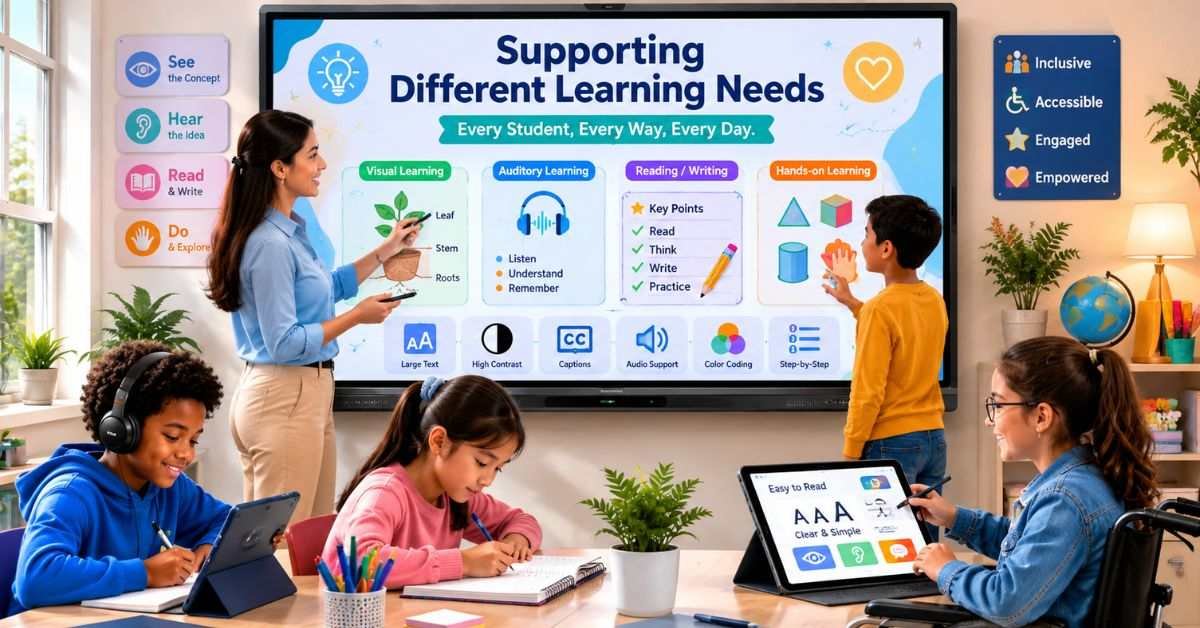
A Senses Smart Board can make lessons more accessible by enlarging text, increasing contrast, replaying instructions, and combining sound with visual information. Teachers can keep instructions visible and show examples one step at a time. Videos should include captions, fonts should be readable, and the display should be visible from every seat. Students who cannot use the screen easily should receive another way to take part.
Common Challenges and Solutions
The Senses Smart Board may provide little value without teacher training or technical support. Internet problems, glare, software updates, weak audio, and incompatible files can interrupt teaching.
| Common Challenge | Practical Response |
| Teachers lack confidence | Provide short, subject-based training |
| Internet connection fails | Keep offline lesson files ready |
| Screen is hard to see | Test lighting and viewing distance |
| Students become distracted | Use clear rules and timed activities |
| Software stops working | Arrange support and updates |
| Privacy concerns | Use approved apps and storage |
Every teacher should keep a backup activity in case the screen or internet becomes unavailable.
Safe and Responsible Classroom Use
The Senses Smart Board may connect to online services, personal devices, accounts, and saved files. Schools must decide who can install apps, record sessions, or store student information.
- Use strong passwords and approved school accounts.
- Install security updates regularly.
- Do not display private student details.
- Review app privacy rules before use.
- Examine AI-generated material for mistakes or bias.
Teachers remain responsible for reviewing digital information before showing it to students.
What to Verify Before Buying
Before purchasing a Senses Smart Board, schools should arrange a live demonstration and test the display in a real classroom.
- Select a screen size that is appropriate for the space.
- Test touch speed, writing accuracy, sound, and wireless sharing.
- Ask about installation, warranty, and repairs.
- Check for extra software licence fees.
- Confirm compatibility with school devices.
- Begin with one pilot classroom.
The budget should also cover mounting, staff training, maintenance, software, and support.
How to Achieve Better Learning Results
The Senses Smart Board should be treated as a teaching tool, not the centre of every lesson. Schools can measure its value by reviewing student participation, lesson quality, teacher confidence, technical problems, and preparation time. Teachers can begin with simple activities, such as annotating a text, solving a problem together, or checking answers through a short quiz. More advanced tasks can be added as everyone becomes confident.
FAQs
Is the board suitable for online teaching?
Yes. Screen sharing, lesson capture, audio, and connected devices can support online or blended lessons, depending on the selected model and software.
Does it need a special pen?
The panel supports touch controls, while a compatible stylus can provide more accurate writing.
Can teachers connect a laptop or phone?
Official product information lists smartphone support and options including Wi-Fi Direct, Bluetooth, and USB connectivity.
What is the ideal screen size for a classroom?
The answer depends on room depth and student seating. Schools should test visibility from the farthest desk before buying.
Can a digital board improve exam results?
It can support clearer teaching and active practice, but results depend more on lesson design, teacher skill, curriculum quality, and student effort.
Conclusion
The Senses Smart Board can turn a classroom wall into an active learning space where students see, hear, discuss, and practice new ideas. It can support clearer explanations, quick feedback, teamwork, saved notes, and multimedia learning. A digital display cannot replace effective teaching. Schools still need staff training, safe-use rules, accessible lessons, maintenance, and a backup plan. The best next step is to test the technology during a real lesson, gather feedback, and compare its value with the full cost. Used with clear learning goals, this interactive classroom tool can become a useful part of modern education.