

Introduction
Instagram videos can remain useful after they leave your feed. A recipe, revision tip, travel idea, fitness lesson, or design example may be worth saving for offline viewing. That is why browser tools such as FastDL are popular: they promise a quick way to save public Instagram media without installing a new app.
Yet downloading is not only about speed. Users also need to understand privacy, video quality, public-post limits, and creator rights. This guide explains how the service works, compares it with Toolsmart, and shows how to save approved public content safely in 2026.
What Is FastDL?
FastDL is a browser-based Instagram downloader. Its official website says it supports public videos, photos, Reels, Stories, IGTV content, and carousel posts. The site also states that it works on phones, tablets, and computers without asking users to log in to Instagram or create an account.
In simple terms, the tool reads the link to a public Instagram post and creates a saved file for your device. This can be useful for backing up your own public Reel, keeping a permitted tutorial offline, or saving a public post after receiving the creator’s permission. The service says it cannot fetch private posts. That is an important limit because content shared privately should remain protected.
Why Might Someone Save an Instagram Video?
A student may want a short learning clip for a trip without Wi-Fi. A home cook may save a recipe before trying it. A creator may keep copies of personal Reels. These are practical reasons to use an Instagram video downloader. However, a downloaded file is still someone’s creative work unless you made it yourself. Saving a video does not transfer ownership of its footage, audio, text, or design. The safest habit is to download your own media or content you are clearly allowed to keep.
How to Save Public Content
The official website describes a simple copy-and-paste method. Start with a public post that you own or have permission to save.
- Open Instagram and find a public video, Reel, photo, or carousel.
- Copy the post link from the share or menu option.
- Open FastDL in your browser, paste the link, and select download.
- Choose an available quality option, then save the file to your device.
- Find the result in Downloads on a computer or in the files/downloads area on a phone.
The site states that videos are provided as MP4 files and photos as JPG files. It also explains that the quality available depends on the source upload. A blurry video cannot become truly sharp because it has been downloaded.
FastDL vs. Toolsmart: Main Differences
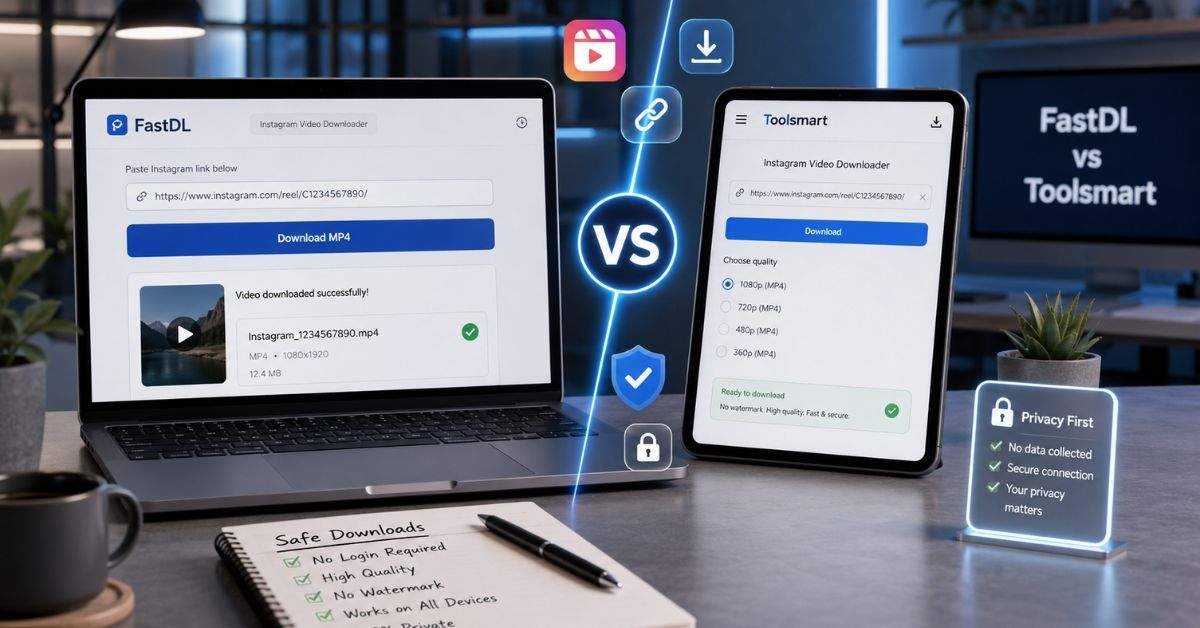
Toolsmart has a comparison page that promotes its Instagram Video Downloader as an alternative. On that page, Toolsmart says its tool supports public Instagram videos, does not require login, offers quality choices, and provides an ad-free experience. These are Toolsmart’s own claims, so readers should confirm how the live tool behaves before relying on them.
| Feature to Check | FastDL | Toolsmart |
| Browser-based use | Stated on official page | Claimed on comparison page |
| Videos and Reels | Listed as supported | Claimed as supported |
| Instagram login | Official page says no login | Claimed no login |
| Photos and carousels | Listed as supported | Comparison focuses on video |
| Quality choices | Official page says options may appear | Advertised |
| Ad-free experience | Not confirmed here | Advertised; verify live |
For someone saving several types of public Instagram media, FastDL has broader listed formats. For someone focused mainly on video, Toolsmart may be worth testing for its advertised clean interface.
Quality, Devices, and Safe Use
A download tool is useful only if the saved file works well and the process is safe. The official FastDL page says videos save as MP4, usually up to HD when the original upload includes that quality, and no watermark is added. It lists modern mobile and desktop browsers as supported.
| What You Need | What to Check |
| A video that plays on most devices | MP4 output |
| Clear image or video quality | Best option available from the source |
| Phone or laptop access | Browser support without forced apps |
| Account protection | No request for your Instagram password |
| Responsible reuse | Permission before reposting |
Before using FastDL, Toolsmart, or any similar site, follow basic security rules.
- Never type your Instagram password, verification code, or email login into a downloader.
- Avoid websites that force you to install an unknown app, extension, or APK file.
- Close suspicious pop-ups, fake buttons, and notification requests.
- Download only public content you created or may lawfully keep.
- Leave a page if it keeps redirecting or supplies an unexpected file type.
Testing a service with one of your own public videos first is a sensible way to check its speed, file quality, and download location.
Downloading Is Not Permission to Repost
Many Instagram videos include original filming, photographs, voice recordings, music, or edited graphics. Meta’s Copyright Help Center explains that original creators generally own their work when they create it, and it advises people to avoid infringing copyright when posting on Instagram or Facebook.
This means that saving a Reel and uploading it to your account are not the same thing. Giving credit is polite, but it may not replace permission. Ask the creator before using another person’s video in your post, advertisement, school project published online, or business content.
Common Problems and Quick Fixes
A download may fail because a post is private, removed, restricted, or copied incorrectly. Try safe fixes before looking for another service.
- If the tool cannot find the post, please confirm that the Instagram link is public and still available.
- If FastDL shows an incorrect result, please copy the link again from the original Instagram post.
- If video quality is weak, the source file may already be low quality.
- If a page opens many unwanted tabs, leave it and try a safer browser tool.
- If you need a complete backup of your account, use Instagram’s official download or export options.
Never try to bypass a private profile with a website that asks for sign-in details. Such a request can put your account at risk.
Which Tool Is the Better Choice?
There is no single best option for every reader. FastDL may suit users who want a browser tool that lists videos, Reels, photos, Stories, IGTV, and carousels. Toolsmart may interest users who want to test its advertised video quality options and ad-free layout. The better choice is the one that works on your device without requesting passwords, forcing software installs, or misleading you with unsafe buttons.
FAQs
Is FastDL free to use?
Its official page states that it does not impose daily download caps. Check the live site for current conditions.
Does it work on phones?
Its website says it works through modern mobile and desktop browsers.
Can FastDL download private posts?
No. The official FAQ states that private Instagram content is inaccessible.
Does Toolsmart remove ads?
Toolsmart advertises an ad-free downloader, but users should verify the present live experience.
Can I repost a video after saving it?
Not automatically. Ask the copyright owner for permission before sharing content you did not create.
Conclusion
An online downloader can be handy for saving permitted public Instagram videos for offline viewing. FastDL offers a browser-based process and lists support for several kinds of public media, while Toolsmart promotes a video-focused alternative with extra convenience claims.
Make safety your first step: use public links, protect your login details, and do not install suspicious files. Respect your next step: save your own posts or content you have permission to use, and ask before reposting another creator’s work. Used responsibly, these tools can help you revisit useful videos without risking privacy or ignoring creator rights.