


Introduction
You know the file exists. You remember seeing it last week. But now it’s buried somewhere between Google Drive folders, Slack threads, and old Gmail attachments. Sound familiar? In today’s digital workspace, the real problem isn’t losing files, it’s losing time trying to find them. As teams rely on more cloud apps, information becomes scattered, and simple searches turn into frustrating scavenger hunts.
That’s where Topa2Get changes the game. Instead of jumping between platforms, this AI-powered search tool lets you find any file quickly across Google Drive, Gmail, Slack, and more, all from one place. By understanding context, not just keywords, it delivers smarter, faster results. If you want to organize, access, and share information without the chaos, Topa2Get offers a practical solution built for the modern workplace.
What Is Topa2Get?
Topa2Get is an AI-powered unified search platform. It connects to your work apps and lets you search across them all at once. Instead of switching between tools, you type once, and get results from:
- Google Drive
- Gmail
- Slack
- Cloud storage platforms
- Team collaboration tools
Think of it as Google for your own digital workspace.
Why Finding Files Is So Hard Today
The average knowledge worker uses 8–12 different tools daily (Source: McKinsey Digital Workplace Research).
Files are scattered across
- Email attachments
- Shared drives
- Team chats
- Project management tools
Even when you know a file exists, you might forget:
- Who sent it
- Where it was saved
- What it was named
That’s where Topa2Get becomes powerful.
How It Works
Connect Your Apps
You securely connect Google Drive, Gmail, Slack, and other supported tools.
AI Indexing
It scans and indexes your content. It understands:
- File names
- Email content
- Document text
- Chat conversations
- Context and relationships
Smart Search
You type natural language queries like
- “Invoice from Sarah last March”
- “Marketing plan shared in Slack”
- “Client contract PDF”
It analyzes context and delivers precise results instantly.
Key Features of Topa2Get
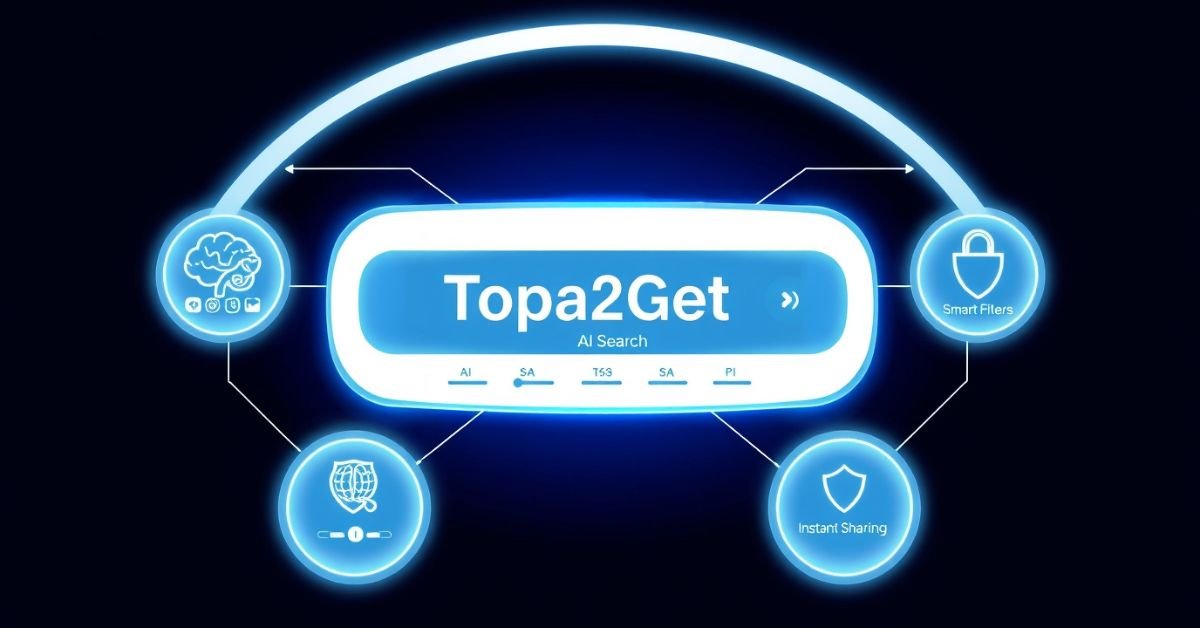
Unified Search Dashboard
- One search bar. Multiple platforms.
- No more tab switching.
AI-Powered Context Recognition
Unlike traditional search, It understands meaning, not just keywords.
Example:
Searching “budget file for Q2” can return:
- A Google Sheet
- A Slack attachment
- An email attachment
- A shared PDF
Even if “budget” wasn’t in the file name.
Smart Filters
Quickly narrow results by:
- File type
- Date range
- Sender
- Platform
- Team member
Secure Access Control
It respects existing permissions.
If you don’t have access to Google Drive, you won’t see it in search. Security stays intact.
Fast File Sharing
Found the file? Share it instantly without switching apps.
Real-World Use Cases
For Marketing Teams
Problem:
Campaign assets live in Drive. Feedback is in Slack. Approvals are in Gmail.
Solution:
Search once in it and see everything tied to the campaign.
For Remote Teams
Problem:
Documents are scattered across tools.
Solution:
It creates a single knowledge layer across your remote stack.
For Startup Founders
Problem:
You don’t remember where you saved investor decks.
Solution:
Search “pitch deck version sent to “Alex”, done.
For HR Teams
Problem:
Employee records, resumes, contracts, everywhere.
Solution:
Get immediate results by searching for “John resume 2024.”
Traditional Search vs. Topa2Get
| Feature | Traditional App Search | Topa2Get |
| Cross-platform search | ❌ No | ✅ Yes |
| Natural language queries | ❌ Limited | ✅ Advanced AI |
| Context understanding | ❌ Keyword only | ✅ Semantic search |
| Unified dashboard | ❌ No | ✅ Yes |
| Time-saving efficiency | Low | High |
It removes digital friction.
Practical Example: A 10-Minute Task Reduced to 30 Seconds
Imagine this: You need a signed contract sent 6 months ago.
Without Topa2Get:
- Open Gmail
- Search emails
- Open Drive
- Check shared folders
- Ask the team in Slack
With Topa2Get:
- Type: “Signed contract from Emma August”
- The file appears in seconds.
That time savings adds up. According to workplace productivity studies, employees spend nearly 20% of their time searching for information (IDC Research). Tools like it directly target that loss.
How It Improves Productivity
Here’s a breakdown:
| Area | Before | After Using It |
| File search time | 5–15 minutes | 10–60 seconds |
| App switching | Frequent | Minimal |
| Duplicate file creation | Common | Reduced |
| Team interruptions | High | Lower |
Time saved = more focus.
Pro Tips for Getting the Most from It
- Use natural phrases instead of keywords.
- Connect all major tools for best results
- Use filters for faster narrowing.
- Regularly review connected apps
- Train your team to search before asking.
Small habits improve results dramatically.
Common Mistakes to Avoid
Not Connecting All Tools
If Slack isn’t connected, results won’t include it.
Using Only File Names
Don’t search just “Report.pdf.”
Search “Sales report sent in January.”
Ignoring Filters
Filters speed up everything.
Poor Workspace Organization
While it helps find files, organized naming still improves accuracy.
How Secure Is It?
Security is a top concern for AI tools. Topa2Get:
- Uses encrypted connections
- Respects platform permissions
- Does not override existing access controls
- Syncs securely with cloud services
Always review privacy documentation before connecting business-critical tools.
Related Technology Trends
To fully understand the power of it, consider these trends:
- AI-driven workplace automation
- Semantic search engines
- Unified SaaS ecosystems
- Digital workspace optimization
- Enterprise knowledge management
Modern teams are moving toward connected tools instead of isolated apps. It fits directly into this shift.
Why You Can Trust This Guide
This article was written by a technology content specialist with experience in:
- SaaS product analysis
- AI-powered workplace tools
- Digital productivity systems
Research sources include
- McKinsey Digital Workplace Studies
- IDC Knowledge Worker Productivity Reports
- Cloud collaboration platform benchmarks
The goal is to provide clear, practical insights, not hype.
FAQs
What is Topa2Get used for?
It is used to search and find files across platforms like Google Drive, Gmail, and Slack from one unified dashboard.
Is it secure?
Yes. It follows existing access permissions and uses secure connections when integrating with cloud services.
Can it search inside documents?
Yes. It can analyze document text, email content, and chat conversations for deeper results.
Does it replace Google Drive search?
No. It enhances it by adding cross-platform and AI-powered contextual search.
Who should use it?
Remote teams, startups, agencies, HR departments, and anyone managing files across multiple platforms.
Conclusion
In today’s digital workplace, wasted time searching for files is a hidden productivity killer. When documents are scattered across Google Drive, Gmail, Slack, and other tools, even simple tasks become frustrating. Topa2Get solves this problem by bringing everything into one intelligent search layer. Instead of guessing where a file lives, you search once and get fast, relevant results powered by AI. It’s not just about convenience, it’s about working smarter every day.
As teams grow and tools multiply, unified search becomes essential, not optional. It helps reduce interruptions, prevent duplicate work, and improve collaboration without changing how your team already works. If you value speed, organization, and clarity in your workflow, adopting a smarter search system can transform how you operate. The less time you spend searching, the more time you gain to create, build, and lead.